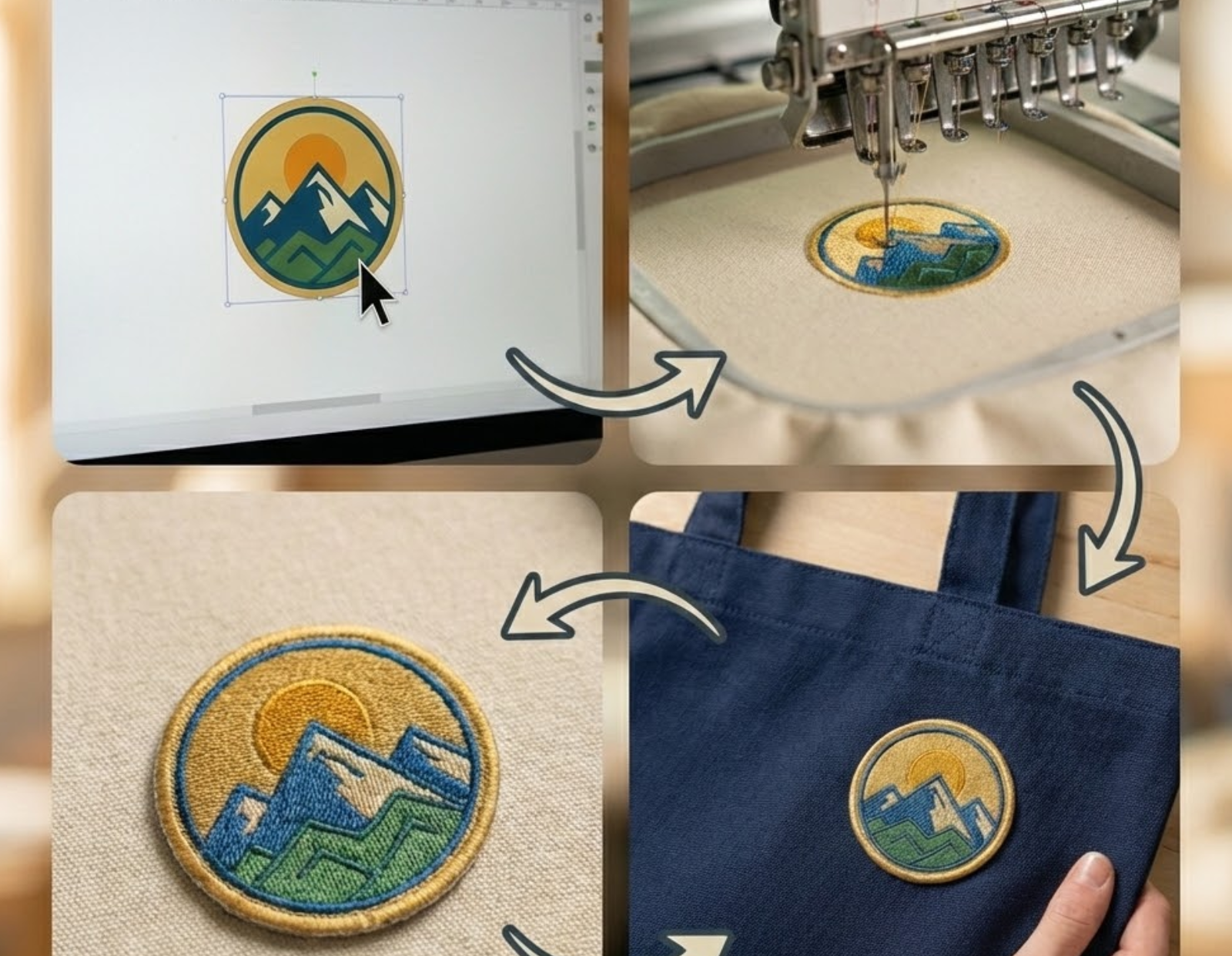
A Raster image (like a JPEG or PNG) is a digital photo made of pixels. If you try to enlarge it, it becomes "pixelated" and blurry. Manufacturing machines—like those used for embroidery or PVC molding—cannot read pixels; they need Vector Paths (lines) to know where to move the needle or the blade. Converting to vector is the only way to ensure the machine produces a clean, accurate physical product.
Professional Image-to-Vector Transformation
At High Rated Patch, we specialize in the technical conversion of raster-based images into high-precision vector graphics. Most logos used for web or social media are Raster images (JPEG, PNG, GIF), which are made of a finite number of pixels and lose quality when enlarged. Our Raster to Vector (R2V) service manually recreates your artwork from scratch using mathematical paths, ensuring that your branding is 100% scalable, infinitely sharp, and ready for any industrial manufacturing process.
Our process is not an automated filter; it is a meticulous manual redrawing of your brand’s geometry. We transform blurry, pixelated, or low-resolution files into clean, "production-ready" assets that are required for embroidery, laser engraving, screen printing, and CNC machining.

From Pixels to Precision Paths
The core of our R2V service is the elimination of "resolution dependency." In a raster file, your logo is a grid of colored squares; in a Vector file, it is a series of coordinates and curves (Bézier paths). This transformation allows you to take a tiny website logo and scale it to the size of a billboard without a single jagged edge. We focus on clean path construction, ensuring that every line is smooth and every shape is symmetrical, providing a professional foundation for your physical products.

Manual Redrawing vs. Auto-Tracing
Many online tools offer "instant" vectorization, which often results in thousands of unnecessary nodes and "wavy" lines that machines cannot read. At High Rated Patch, our designers use the Pen Tool to manually trace your image. This manual intervention allows us to correct imperfections in the original raster file, standardize line weights, and ensure that the final vector asset is mathematically perfect for the most demanding manufacturing standards.
Technical Specifications & Features
Refine your brand assets with professional-grade file formats and design structures optimized for every industrial application.
- File Formats
- Design Features
AI (Adobe Illustrator)
The master source file. It preserves all live layers, paths, and metadata, serving as the primary blueprint for your brand’s future.
EPS (Encapsulated PostScript)
The universal production standard. Compatible with high-end industrial printers, vinyl cutters, and embroidery software.
SVG (Scalable Vector Graphics)
Optimized for the web. These files are lightweight and remain sharp at any zoom level on digital displays.
PDF (Vector-Embedded)
A universal, high-resolution viewing format that maintains all vector path data for easy sharing and proofing.
CDR (CorelDRAW)
Essential for many traditional manufacturing and embroidery setups globally, ensuring maximum software compatibility.
DXF/DWG
Specialized formats for CNC routing, laser cutting, and metal mold production—crucial for PVC and metal emblems.
PNG/TIFF (High-Res)
We also provide transparent, high-DPI raster exports for immediate use in presentations and social media.
Global Pantone® Swatch Assignment
We assign specific Pantone Solid Coated codes to your paths to ensure 100% color consistency between your screen and the physical product.
Layered Path Architecture
Artwork is logically organized into color-coded layers, facilitating easy separation for screen printing or PVC mold injection.
Typography Outlining
All fonts are converted into solid vector shapes, ensuring your branding remains intact even if the manufacturer does not have your specific font installed.
Line Weight Standardization
We ensure every line meets the 0.1mm minimum threshold required for physical production visibility.
Anchor Point Optimization
We manually reduce redundant nodes, creating "clean topology" that allows manufacturing machines to run faster and smoother.
Negative Space Auditing
We optimize the gaps between elements to ensure they are wide enough to be rendered clearly in stitches or molded plastic.
Showcase
Recent Raster to Vector Projects
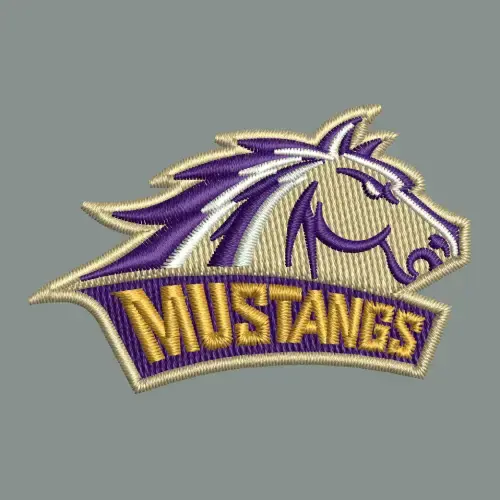
Browse our latest technical illustration work to see how we transform low-resolution images into professional, production-ready brand assets.
FAQs
Have Any questions?
Find answers to the most common questions about our vector design process and why it is critical for your brand.
What is a Raster image and why can't it be used for
patches?
Is your conversion process automated or manual?
Our process is 100% manual. While "auto-trace" software exists, it creates messy paths and thousands of redundant nodes that make manufacturing difficult and expensive. Our designers hand-draw every curve of your logo, ensuring the geometry is clean, the lines are straight, and the file is optimized specifically for manufacturing.
Can you vectorize a photo of a patch I already have?
Yes. We often receive photos of old, physical patches. We can take that photo and "digitize" it back into a vector file. We will correct any warping, fading, or perspective issues from the photo, providing you with a brand-new digital master file of your existing design.
Why does my new vector file look "too clean" compared to
my original JPEG?
JPEG files often contain "compression noise"—small, blurry spots around the edges of your logo. During the vectorization process, we remove all of that digital clutter. The resulting vector file shows the logo exactly as it was intended to be: with sharp edges, solid colors, and perfect curves.
What does "Outlining Typography" mean in the vectorization
process?
In a raster file, text is just a group of pixels. During conversion, we rebuild the text as solid vector shapes. We "outline" these shapes so they are no longer dependent on a font file. This means anyone can open your logo and the text will look perfect, even if they don't have your specific font installed on their computer.
How do you handle complex color gradients during
conversion?
While vectors are best for solid colors, we can handle gradients using Vector Meshes or Gradient Blends. However, for processes like embroidery or PVC, we often "step" the colors into solid layers to make the design manufacturable. We will consult with you to ensure the vector version respects your original aesthetic while remaining production-friendly.
Can I choose to change colors during the Raster to Vector
process?
Absolutely. Because we are rebuilding the logo from scratch, this is the perfect time to make minor adjustments. If you want to update your brand’s blue to a specific Pantone® shade or change a black border to gold, just let us know and we will incorporate those changes into the new vector file.
What file format should I send for conversion?
We can work with almost anything: JPEG, PNG, BMP, TIFF, or even a clear photo of a hand-drawn sketch. For the best results, send the largest, clearest version of the image you have, but even if the file is very small or blurry, our team has the expertise to reconstruct it accurately.
How do clean vector paths save me money on production?
A messy file with too many nodes causes manufacturing machines to "stutter" and run slowly. Since many factories charge by "run time," a "dirty" file costs more to produce. By providing a Clean Topology vector file, you ensure the machine runs at peak efficiency, which can lead to lower production costs and a more consistent final product.
Do I get the original source files back?
Yes. Upon completion, we provide you with the master AI (Adobe Illustrator) and EPS files. These are yours to keep forever. You can use these files for your website, business cards, billboards, or any other marketing material, ensuring your brand stays sharp and consistent across all platforms.
Call Us Now